
Virtual Try On Clothes: Preview Your Look

See how clothes look on you by combining your photo with clothing references. This is a visual outfit preview, not a size recommendation or a measurement of physical fit.

New accounts receive 24 welcome credits, enough for one default generation. Sign in to try; further generations require credits.

Preview clothes on your photo

A new outfit, the same starting photo. Upload your person photo, then one or more clothing references. Sign in to generate with credits.

One person photo + up to 7 clothing photos. 24 credits per generation.

24 credits

From a clothing reference to a look you can compare

  1. 01

    Start with your photo

    Choose a photo that shows the part of your outfit you want to change. Keep the person, pose and background as your starting point. Use only photos you have permission to edit.

  2. 02

    Add the clothes you want to see

    Upload a clear garment image, or combine up to seven references for a coordinated look. A product shot or flat-lay can guide the appearance; make sure you have permission to use it.

  3. 03

    Generate and review the preview

    Sign in and submit the outfit. Each standard 1K generation uses 24 credits. Review the result before downloading; another attempt consumes another generation. AI can change garment details and parts of the original photo.

A real clothing-preview example

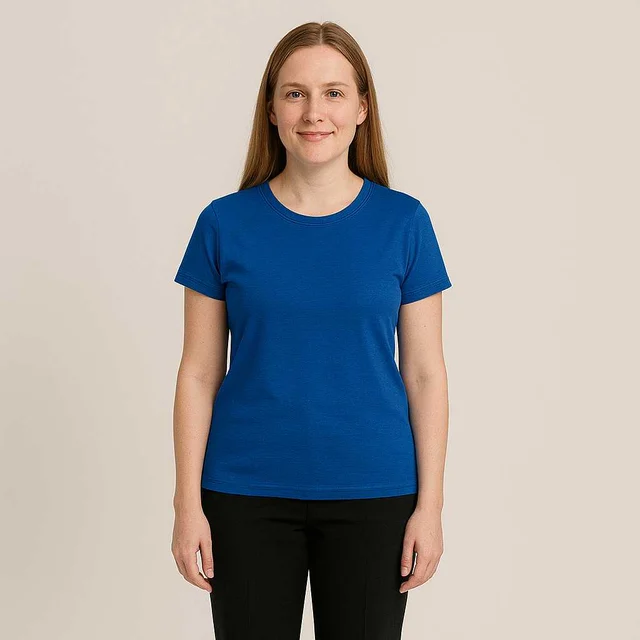
Person in the original outfit before the clothing preview

Original photo

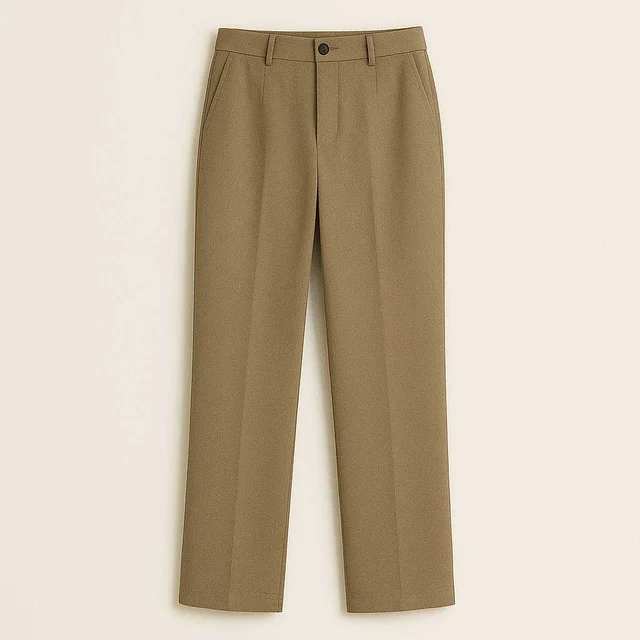
Clothing reference used for this outfit preview

Outfit reference

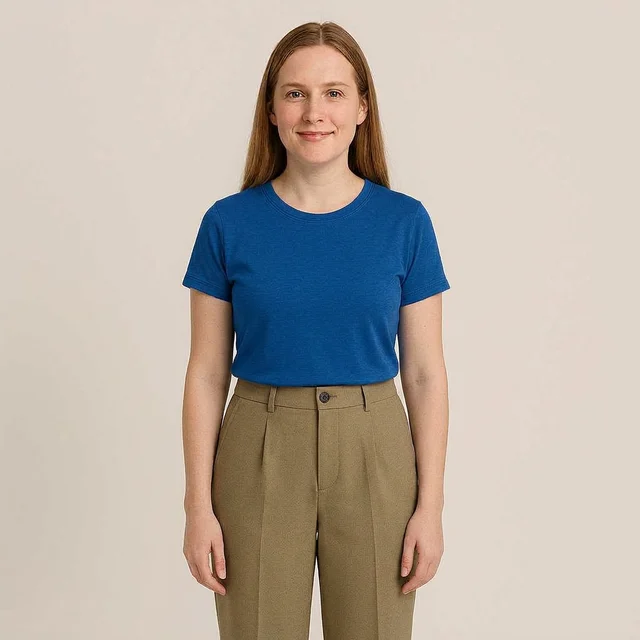
AI-generated outfit preview from the person photo and clothing reference

AI result

An existing OutfitSwapAI example: original photo, clothing reference and generated preview. This illustrates visual styling, not an exact reproduction of the garment or a prediction of how it will fit.

Use virtual clothes try on to compare styling ideas

A preview is useful when you want to see a different color, layering combination or overall outfit on the same starting photo. Keep the person photo consistent between attempts so the change in clothes is easier to compare.

Compare a color or silhouette

Try one reference at a time when comparing two jackets or dresses. Look at the overall visual balance with your existing photo. Lighting and AI interpretation can shift colors or shapes, so use the original product image as the reference for purchasing details.

Plan a complete look

Combine references for different clothing areas to explore an outfit before taking new photos. If the result feels too busy, simplify the references and change one item at a time. Clear inputs make it easier to see which choice changed the look.

What to check in an AI virtual try on result

Inspect seams, logos, patterns, hands and garment boundaries. Check whether your face, pose or background changed. A convincing preview still cannot establish fabric feel, movement, comfort or which size to buy. For purchase decisions, use the retailer’s product information and a real fitting where possible.

Clothing-preview questions

Does it tell me my size?

No. It creates a visual preview of clothes on a photo. It does not measure your body, recommend a size or test physical fit. Check the retailer’s size chart and product details separately.

Can I see how clothes look on me without taking a new photo?

Yes, you can use an existing photo that you have permission to edit. The clothing area should be visible. A portrait cropped at the shoulders cannot show a full-length dress or trousers.

Is there a free trial?

New accounts receive 24 welcome credits, enough for one standard 1K outfit generation. Sign-in is required. Further attempts use 24 credits each. You can buy more credits or subscribe on the Pricing page.

Will the preview reproduce the garment exactly?

No. AI may alter patterns, logos, fabric texture, proportions or colors. Treat the image as a styling idea and compare it with the original garment reference. It should not replace an accurate product photograph.

Can I combine more than one clothing item?

Yes. Add up to seven clothing references after the person photo. Use distinct garments for different areas, such as a top and trousers. If references conflict, the editor gives earlier references priority; the result can still vary.