AI Clothes Changer

Upload a photo, pick your outfit references, and generate a new look.

New accounts receive 24 welcome credits, enough for one default generation. Sign in to try; further generations require credits.

Change clothes in your photo

A new outfit, the same starting photo. Upload your person photo, then one or more clothing references. Sign in to generate with credits.

One person photo + up to 7 clothing photos. 24 credits per generation.

24 credits

How It Works

  1. 01

    Upload

    Start with one clear photo of a person. Keep the area you want to dress visible, with even lighting and as few obstructions as possible. A front-facing photo is a useful starting point; a cropped torso or crossed arms can make clothing details harder to reproduce.

  2. 02

    Pick an Outfit

    Add one to seven clothing reference images after the person photo. Use a single complete look, or separate pictures of a top, trousers, jacket and shoes. Choose references that agree with each other: two different jackets can give the model conflicting instructions. Each image can be up to 5 MB, with a 20 MB limit per upload batch.

  3. 03

    Download

    Sign in, check your credit balance, and generate. Each default generation uses 24 credits. When the result is ready, open its preview and download it. Check the face, hands, garment edges and background before sharing. Processing time varies with the model and service load.

Outfit Changer for Any Photo

Use this outfit changer to explore a different look in a portrait, a full-body photo or an existing wardrobe picture. “Any photo” is a starting idea, not a promise that every input will work: the person and the clothing area need to be visible. Upload only images you own or have permission to use, with the depicted person’s consent.

Change Clothes Without Photoshop

This clothes changer uses your person photo and outfit references instead of manual selections, layers and brushwork. You do not need to draw a mask or write an editing prompt in this tool. For a casual-to-formal preview, add a clear shirt and jacket reference. For a complete look, include compatible trousers or a skirt. If small logos, seams or exact fabric patterns matter, inspect those areas closely; AI can reinterpret them.
Virtual Try-On Clothes Online

Compare colours, layers and outfit combinations before deciding what to wear or which item to investigate further. For virtual try on clothes, keep the person photo consistent while changing the clothing references. The result is a visual styling preview. It does not measure your body, predict a garment’s physical fit or guarantee that a purchased item will look identical. Check the seller’s measurements and material details separately.

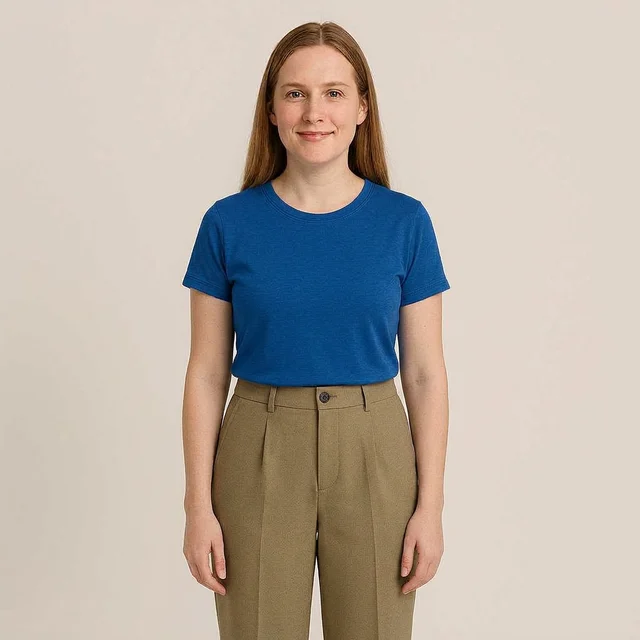
Person photo before using the AI clothes changer

Original photo

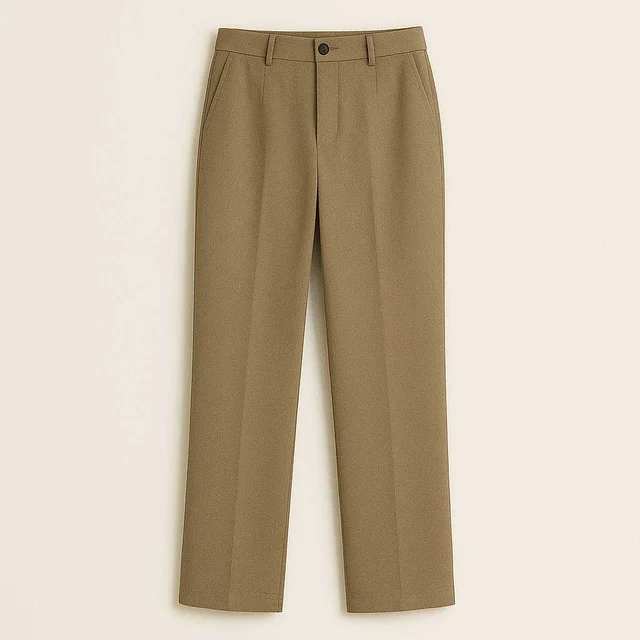
Clothing reference used for the outfit change

Outfit reference

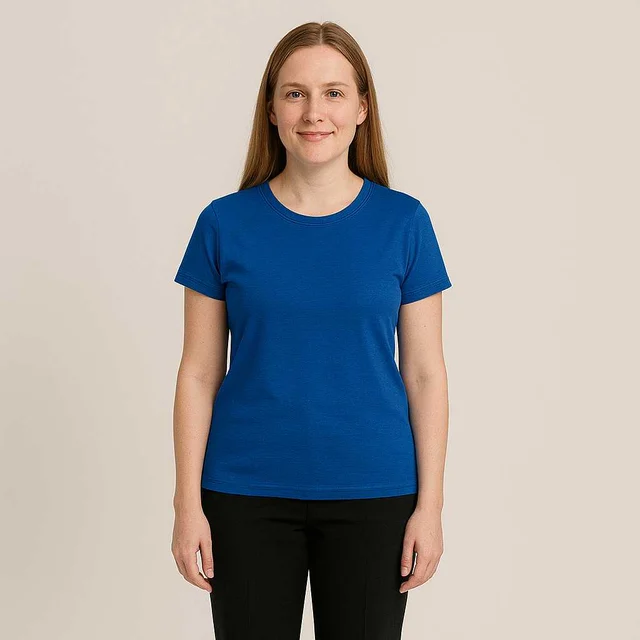
AI-generated clothes change from the reference outfit

AI result

An existing site example: person photo, clothing reference and AI-generated result. Results vary with your inputs.

AI Clothes Changer vs. Manual Editing

Choose the workflow around the result you need. AI is useful for exploring an outfit from reference photos; manual editing gives you direct control over individual areas.

AI clothes changer

Provide the photos and let the model generate a new interpretation. This avoids building selections and layers yourself, but the output can alter details outside the clothes. Review the result and adjust unclear references before trying again; another generation also uses credits.

Manual editing

Select, mask, composite and retouch the garment yourself in an image editor. This takes editing knowledge and hands-on work, but lets you make targeted corrections to edges, texture and placement. It can be the better choice when a specific detail must remain exact.

FAQ

Is there a free AI clothes changer trial?

Yes. New accounts currently receive 24 welcome credits, enough for one default generation. You need to sign in. This is a limited trial, not unlimited free generation; subsequent attempts need available credits. Check your account balance and the pricing page before continuing.

Can I change clothes in any photo?

Use a clear image with one visible person and enough space to show the clothes you want to change. Heavy cropping, low light, overlapping people and covered body areas can reduce usefulness. AI may also change faces, hands or backgrounds, so review each result.

Do I need a clothing reference or an editing prompt?

You need a person photo and at least one clothing reference. You can add up to seven clothing images to build a look. This tool uses a fixed outfit-changing instruction, so you do not need to write a prompt or select a model.

Will virtual try-on show the exact size and fit?

No. Generated images are styling previews rather than size recommendations or physical fit simulations. Fabric, logos, colours and proportions may differ from the real garment. Use the retailer’s size chart and product information when buying clothes.

How do I get a more useful result?

Begin with a well-lit person photo and a clear reference that shows the whole garment. Remove conflicting references and keep the clothing area visible. Review the output before downloading or sharing it. For photo preparation and troubleshooting, read the AI clothes swap guide below.

Related Tools

AI outfit swap

Explore the main outfit tool and more existing before-and-after examples.

Clothes Swap AI

Swap a single garment or combine clothing references directly in the photo editor.

Virtual try on clothes

See how clothes look on you by combining your photo with clothing references. This is a visual outfit preview, not a size recommendation or a measurement of physical fit.

Pricing and credits

Review available credit options before your next generation.